
python中组合框_PyQt 组合框
# PyQt 组合框
> 原文: [https://pythonbasics.org/PyQt-combobox/](https://pythonbasics.org/PyQt-combobox/)
您可以具有`QComboBox`的组合框,选择框或组合框。 要使用此小部件,请从`PyQt5.QtWidgets`导入`QComboBox`。
通常,当用户需要从选定数量的项目(例如国家/地区或合同)中进行选择时,您会看到此小部件。
## `QComboBox`
### 创建一个组合框
您可以使用以下几行创建一个组合框:
```py
combo = QComboBox(self)
combo.addItem("Apple")
```
方法`addItem`将一个选项添加到组合框中。 您可以根据需要使用不同的选项多次呼叫。
要将组合框更改与方法联系起来,可以使用以下方法:
```py
combo.activated[str].connect(self.onChanged)
```
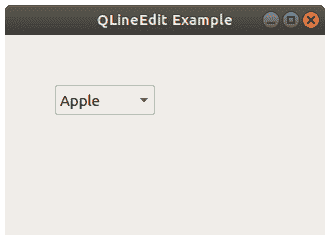
### 示例
下面的代码将组合框添加到窗口。 选择组合框中显示的选项之一后,标签值将更改。
```py
import sys
from PyQt5.QtWidgets import QApplication, QMainWindow, QLabel, QComboBox, QPushButton
class Example(QMainWindow):
def __init__(self):
super().__init__()
combo = QComboBox(self)
combo.addItem("Apple")
combo.addItem("Pear")
combo.addItem("Lemon")
combo.move(50, 50)
self.qlabel = QLabel(self)
self.qlabel.move(50,16)
combo.activated[str].connect(self.onChanged)
self.setGeometry(50,50,320,200)
self.setWindowTitle("QLineEdit Example")
self.show()
def onChanged(self, text):
self.qlabel.setText(text)
self.qlabel.adjustSize()
if __name__ == '__main__':
app = QApplication(sys.argv)
ex = Example()
sys.exit(app.exec_())
```
[下载示例](https://gum.co/pysqtsamples)
总结
以上是生活随笔为你收集整理的python中组合框_PyQt 组合框的全部内容,希望文章能够帮你解决所遇到的问题。

- 上一篇: 一部分 数据 迁移_软件测试员12小时惊
- 下一篇: python程序设计与应用教程鄂大伟_鄂